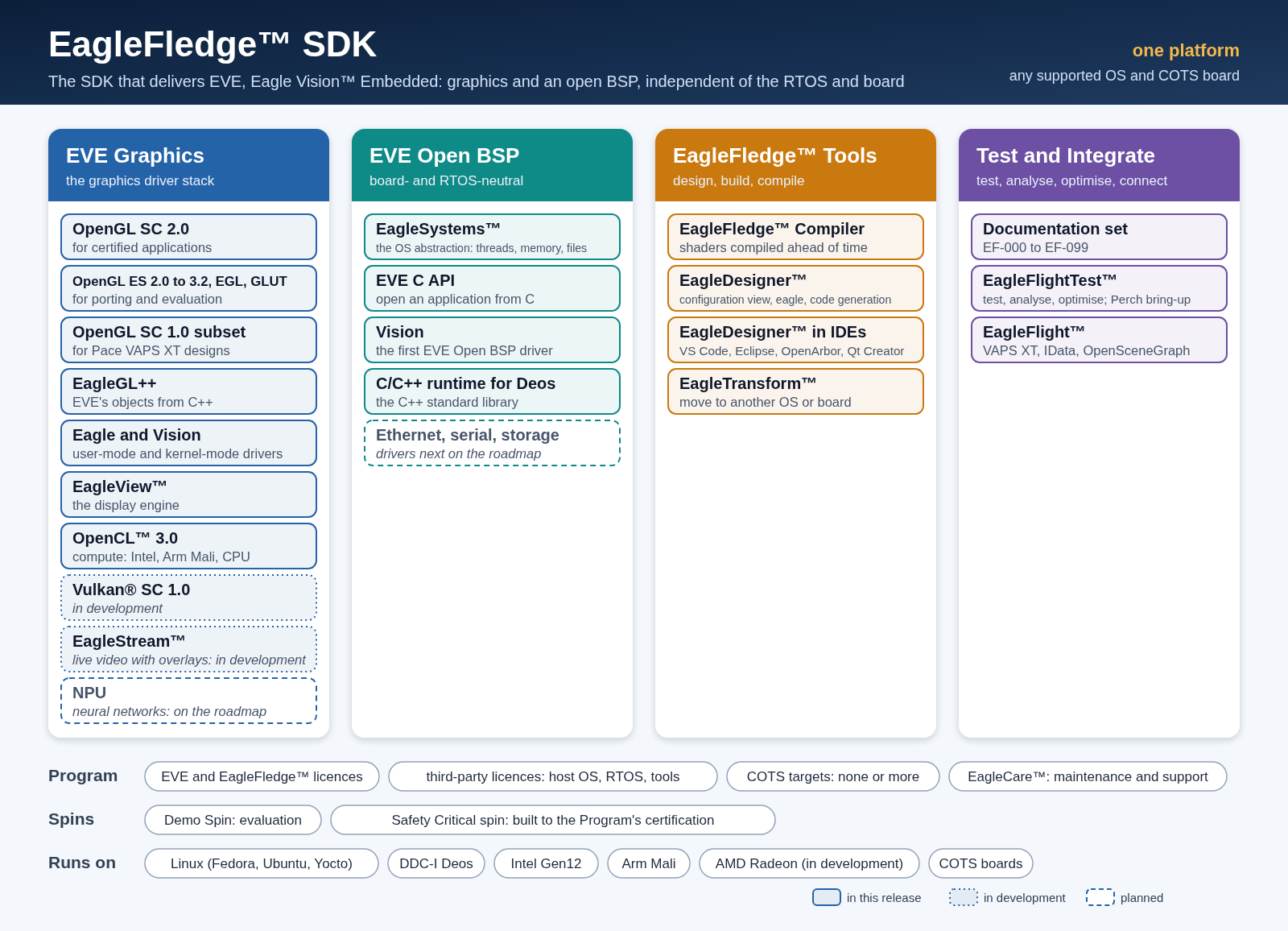
EagleFledge™ is the EVE SDK: EVE Graphics, the EVE Open BSP, the EagleFledge™ tools, and testing and integration. It is everything a program team needs to take a product from first concept to a certified, fielded system, and to keep it current for the life of the program.
Beyond graphics
- OpenCL™ 3.0 (embedded profile), running today on Intel and Arm Mali GPUs and on EVE’s CPU renderer: kernels compiled ahead of time by the EagleFledge™ Compiler, images and samplers included, with the unmodified Khronos OpenCL conformance tests running on EVE on Intel and all 34 of their test programs for the features EVE offers passing every test in full runs, and their math accuracy test (bruteforce) passing all 105 of its tests. It compiles OpenCL C 3.0 programs, with 64-bit integers, images, subgroups and work-group collective functions.
- Vulkan® SC 1.0, compute and graphics running today on Intel and Arm Mali GPUs: the safety-critical Vulkan API as a driver of its own, separate from EVE’s OpenGL SC driver, which is not layered on it, over the same Eagle and Vision, with more than 15,000 cases of the Khronos Vulkan SC conformance tests’ compute, storage-buffer and memory-model groups running with 0 failures. Vulkan SC graphics pipelines run the vkmark benchmark’s 13 scenes on both, and VulkanSceneGraph, the Vulkan successor to OpenSceneGraph, renders its scenes on both. Frames reach a display through the standard surface, display and swapchain extensions.
- EagleStream™, live video with overlays, in development: camera and sensor video in through MIPI CSI-2, GigE Vision, ARINC 818 and SDI, network video over RTP and RTSP with H.264 and H.265 decoded in hardware, frames imported without a copy through EGLImage and Linux dma-buf, and EVE’s symbology composed over them, on Linux and DDC-I Deos.
- NPU, on the roadmap: neural-network acceleration under the same rules, declared resources and ahead-of-time compilation.
The EagleFledge™ toolchain
- EagleDesigner™: design a product, with the configuration view, the
eaglecommand, code generation, and IDE integration (Visual Studio Code, Eclipse-based IDEs, Qt Creator). - EagleFledge™ Compiler: HESolar’s own offline shader compiler and packager, one compiler for Intel, Arm Mali and AMD Radeon, with a review package for every shader.
- EagleFlightTest™: test, analyse and optimise a product on its own configuration.
- EagleTransform™: carry an application to another product, board or operating system, by configuration.
- EagleWatch™: EVE’s own health monitoring of the GPU, the displays and its resources while a product runs.
- EagleCare™ and EagleMolt™: maintenance and support, with every fix and update delivered as one new drop of a Program’s components.
It fits the tools you already use
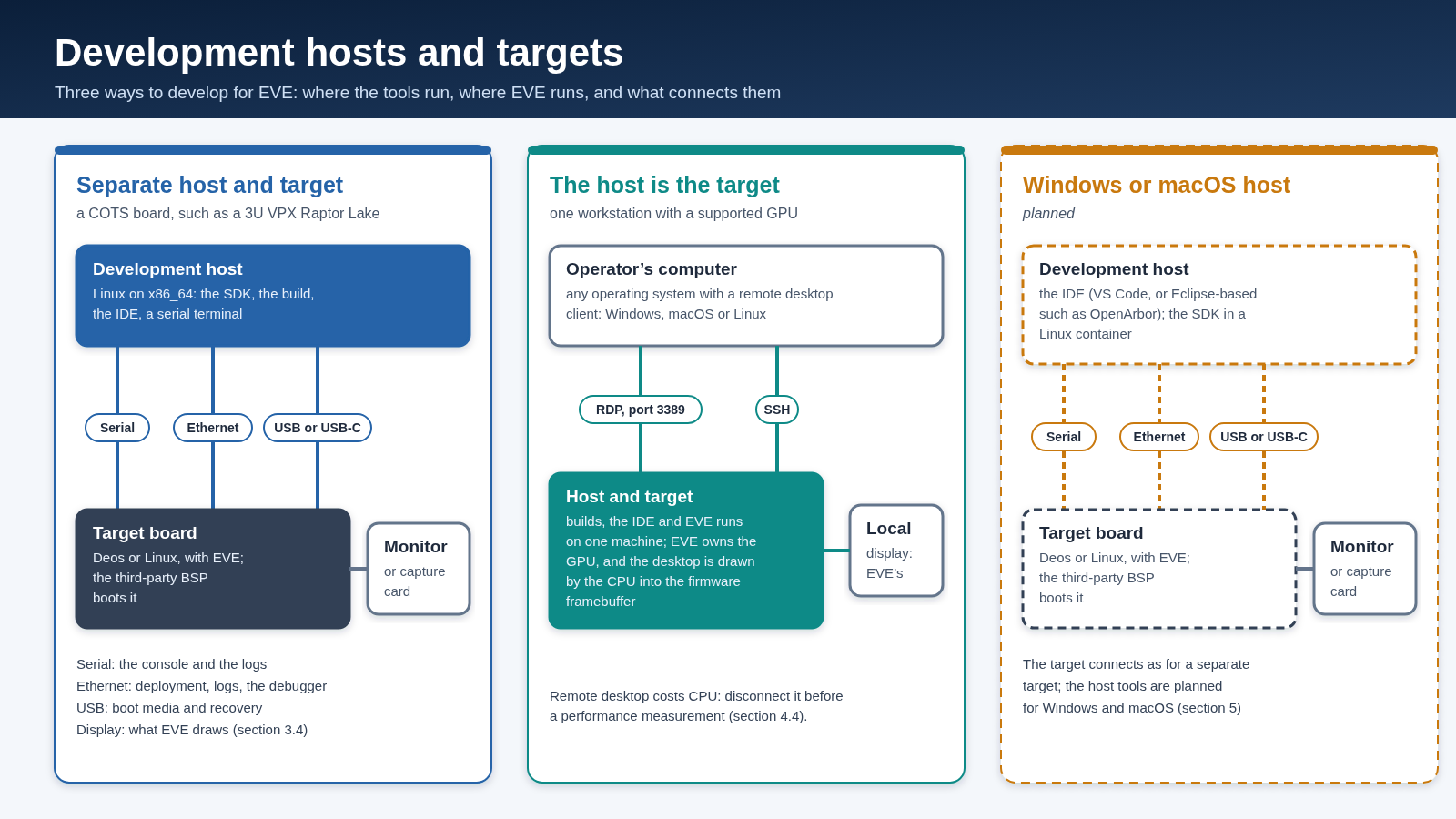
EagleFledge™ works inside a team’s existing environment rather than replacing it: no new IDE, no new language, and no new compiler for your application code.
- Your IDE. EagleDesigner™ plugs into Visual Studio Code, Eclipse-based IDEs including DDC-I OpenArbor, and Qt Creator, and works with any editor that speaks the Language Server Protocol, checking a product’s configuration as you type, with completion and documentation on hover.
- Your compiler and BSP. Applications build with the board’s own cross toolchain: the Yocto SDK your BSP already produces, or DDC-I’s Deos toolchain.
- Your build system. A product is an ordinary CMake project that loads EVE with
find_package, and its build writescompile_commands.jsonfor your editor and static analysers. - Standard APIs. Applications use OpenGL ES 3.2, OpenGL SC 2.0, EGL and OpenCL, so existing code and skills carry over. Shaders and kernels are standard GLSL ES and OpenCL C, and the EagleFledge™ Compiler runs as one step of your build.
How a Program takes EVE up
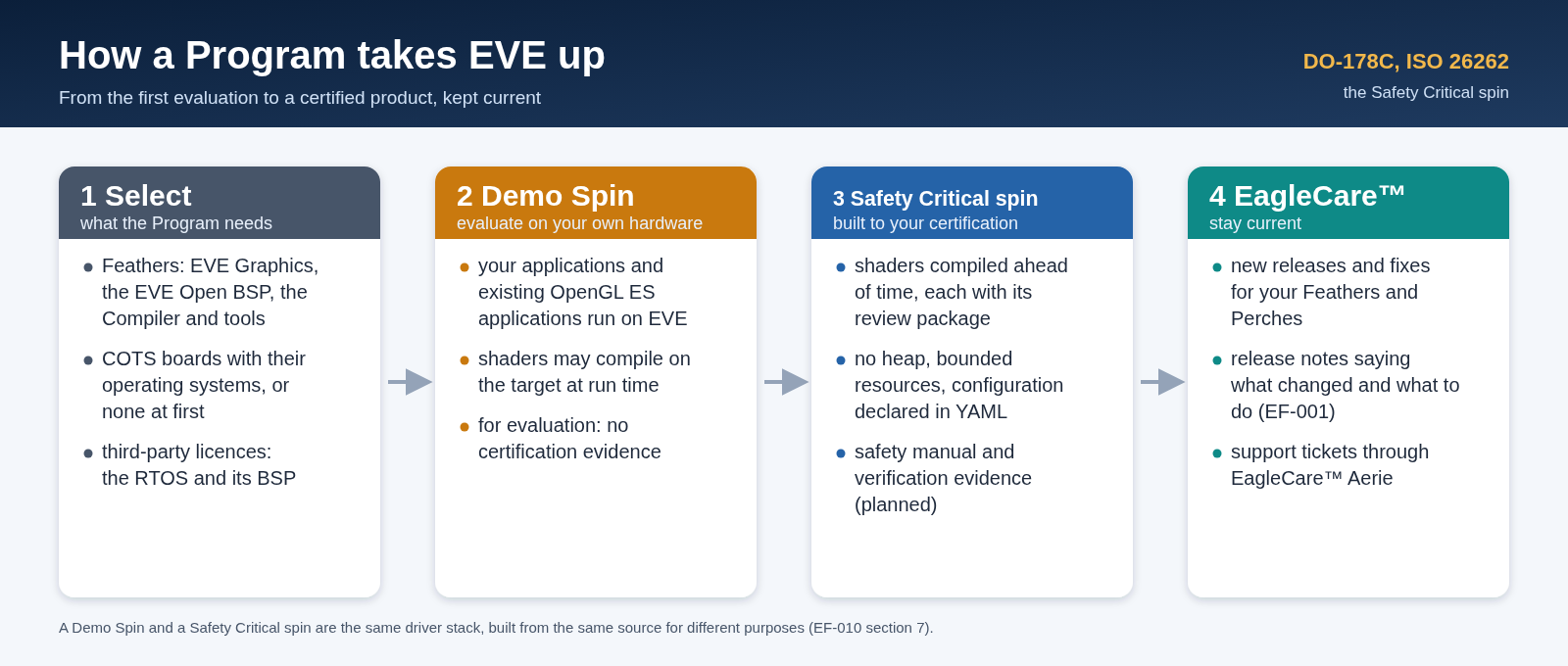
A Program usually starts with a Demo Spin on its own hardware and moves to its Safety Critical spin, built to its certification requirements; EagleCare™ keeps both current.
Where the tools run
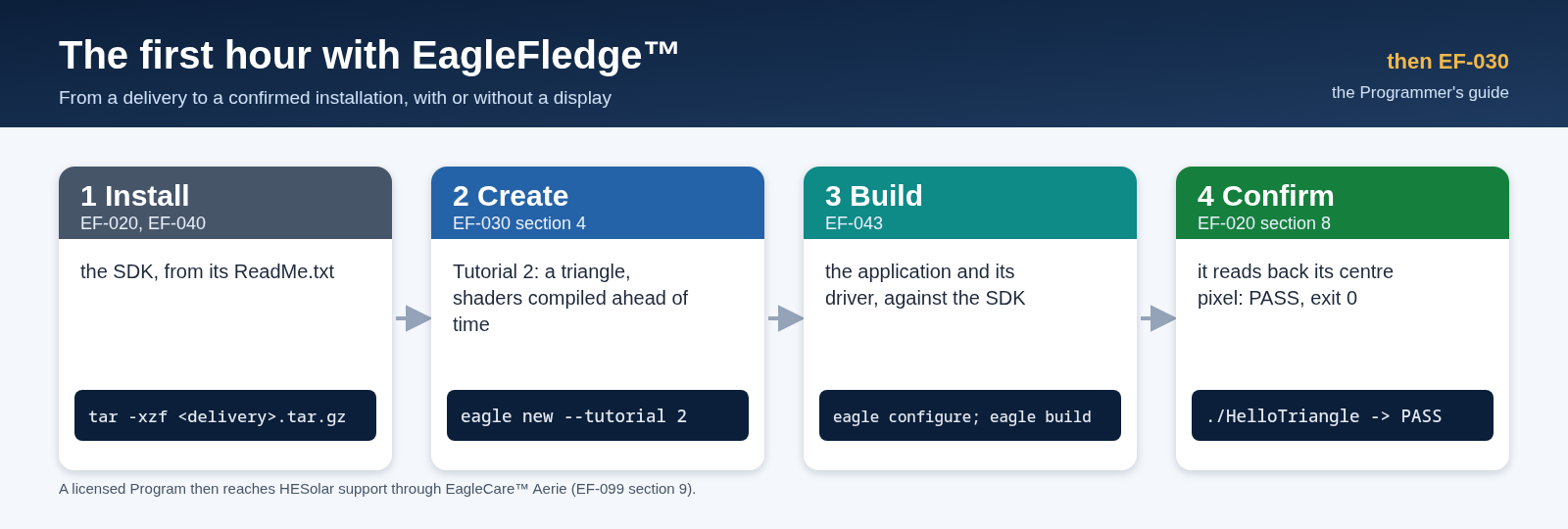
The first hour